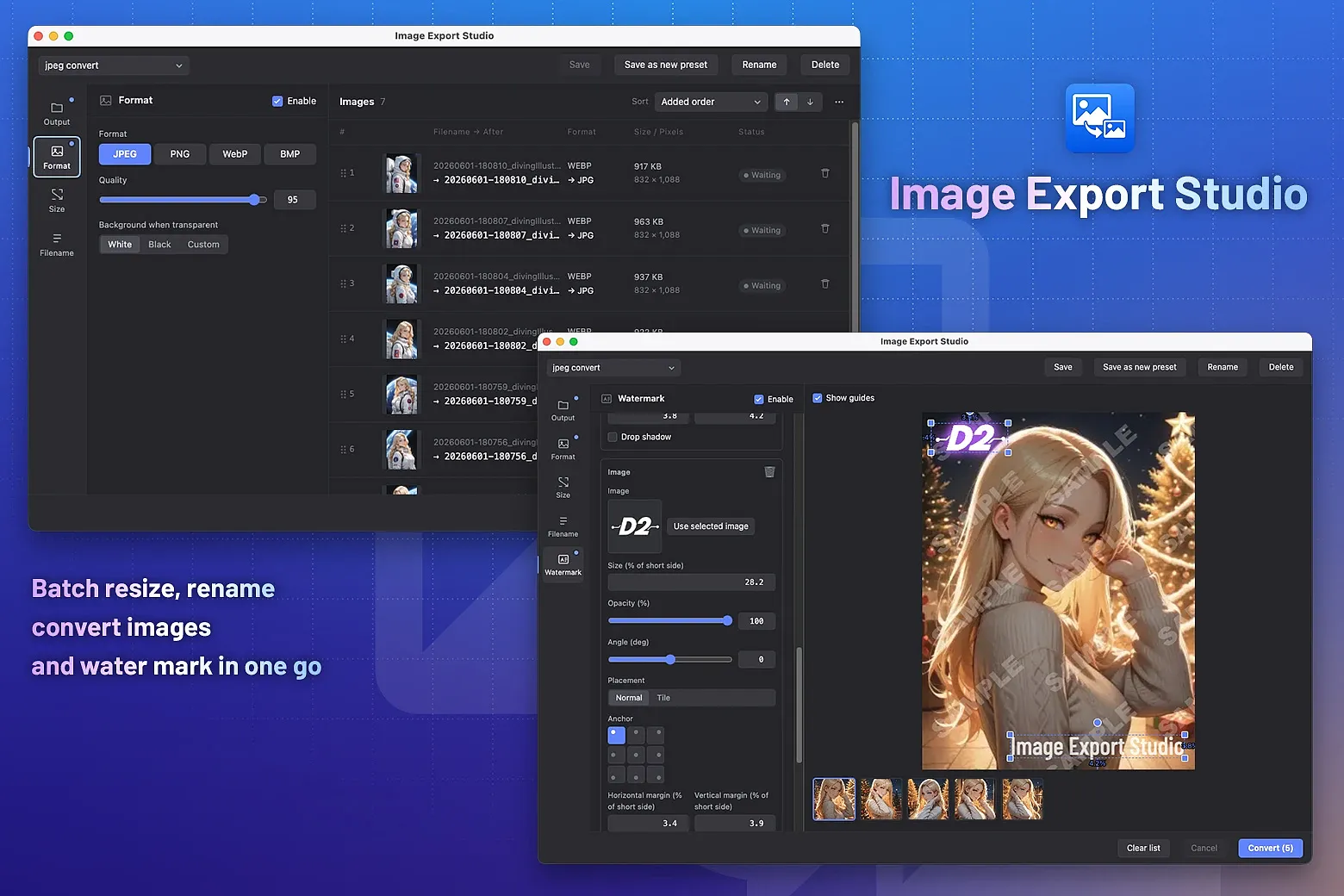
A plugin for batch exporting images selected in Eagle with your preferred format, size, and filename.
Resize with flexible options
- Choose from percentage, width, height, longest edge, and more
- An "upscaling disabled" option is available too
Fine-tune the output format
- Supports JPEG / PNG / WebP / GIF / BMP
- WebP can be lossy or lossless, and PNG compression level is configurable
- When converting transparent PNGs to other formats, you can specify a background color
Filename rules with rich options and regex
- Sequential numbers, date/time, and regular expressions are all supported
- Almost any naming pattern you want can be handled
Save and reuse settings as presets
- Turn export settings into presets for each use case
- Switch and reuse them with one click
Add watermarks
- Add text, tiled text, or image watermarks
- Apply multiple watermarks at once
- Rotation, opacity, drop shadow, and alignment that adapts to different image sizes are all yours to control
Reorder the image list freely
- Freely control the sequential numbering of filenames
- Beyond "by date" and "by filename", drag & drop lets you arrange images in any order
Save to an external folder or back into Eagle
- Pick the same folder as the source image, a fixed folder, or an external folder
- Eagle folders can be picked from a folder tree, so even deeply nested folders are easy to find
v2.0.0
2026-06-25
Added watermark feature
v1.1.0
2026-06-02
Added English support
You may also like