DiffCanvas
Compare two local images on one canvas with angled splits, edge feathering, independent opacity, and synchronized zooming and panning.
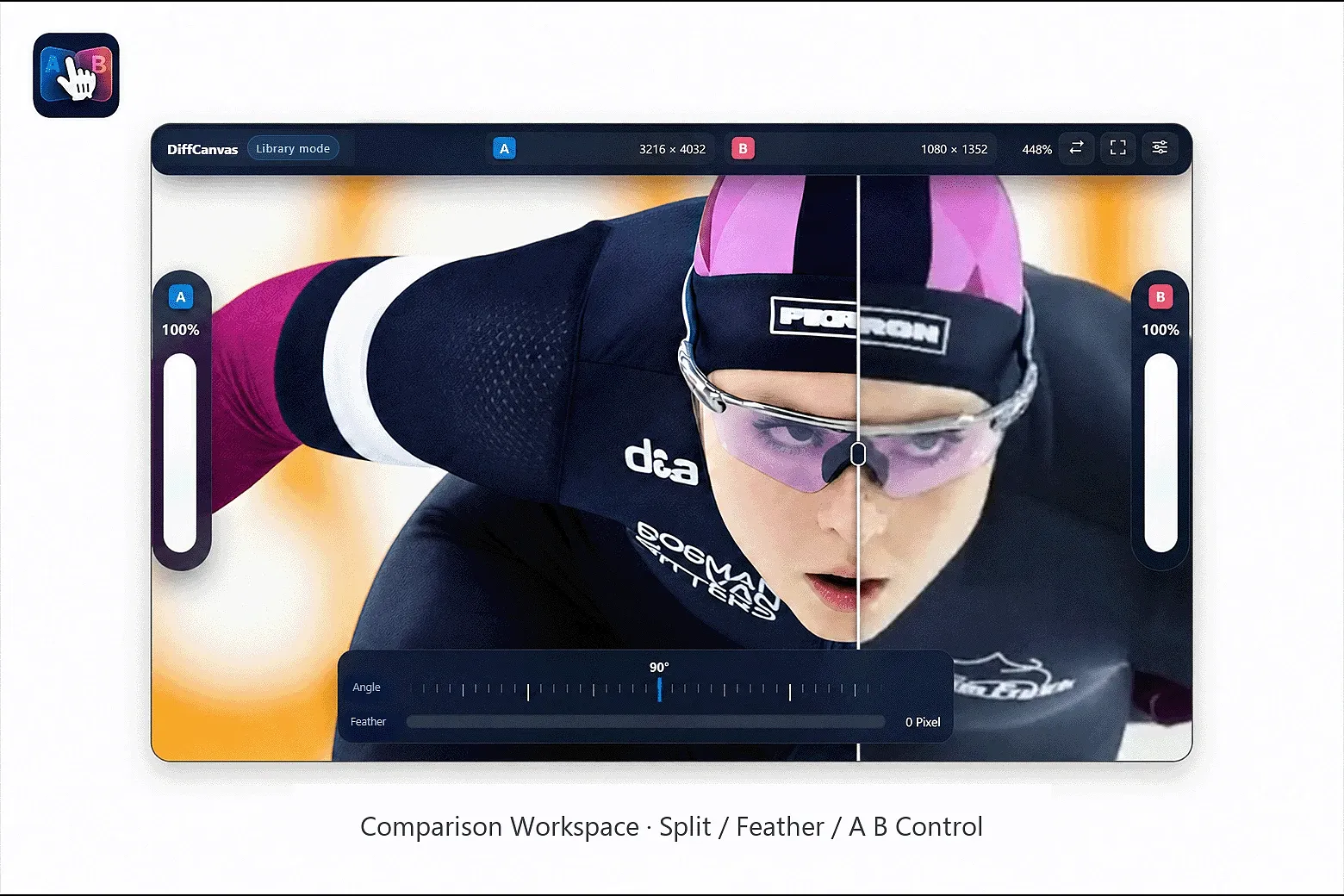
DiffCanvas is a visual workbench for inspecting differences between two local images. It supports PNG, JPG/JPEG, WebP, GIF, SVG, AVIF, and BMP; both images must use one of these formats.

The plugin reads and processes the selected images locally. It does not modify the original files or library data, and it does not upload images.

How to use:
1. Select exactly two supported images in your Eagle library.
2. Launch DiffCanvas to open the comparison workbench.
3. Drag the split line or handle to compare the two images.
4. Adjust edge feathering, independent A/B opacity, and split angle as needed.
5. Use the mouse wheel to zoom, and drag with the middle mouse button to pan.
6. Press R after changing the selection to reload the current images.
v1.0.20
- Renamed the plugin to DiffCanvas. - Replaced the plugin logo and prepared it as a 128 × 128 PNG icon. - Shortened the store descriptions to meet the Unicode length limits. - Added supported image formats to both Chinese and English introductions: PNG, JPG/JPEG, WebP, GIF, SVG, AVIF, and BMP. - Corrected the English visual asset wording from Enhance to Feather. - Clarified that selection reload is done by pressing R. - Clarified that image zooming is done with the mouse wheel. - Angle snapping remains enabled by default, with Alt available as a temporary bypass while dragging.
You may also like