Gallery-to PDF
Turn your Eagle library into print-ready PDF, JPG, or PNG contact sheets.
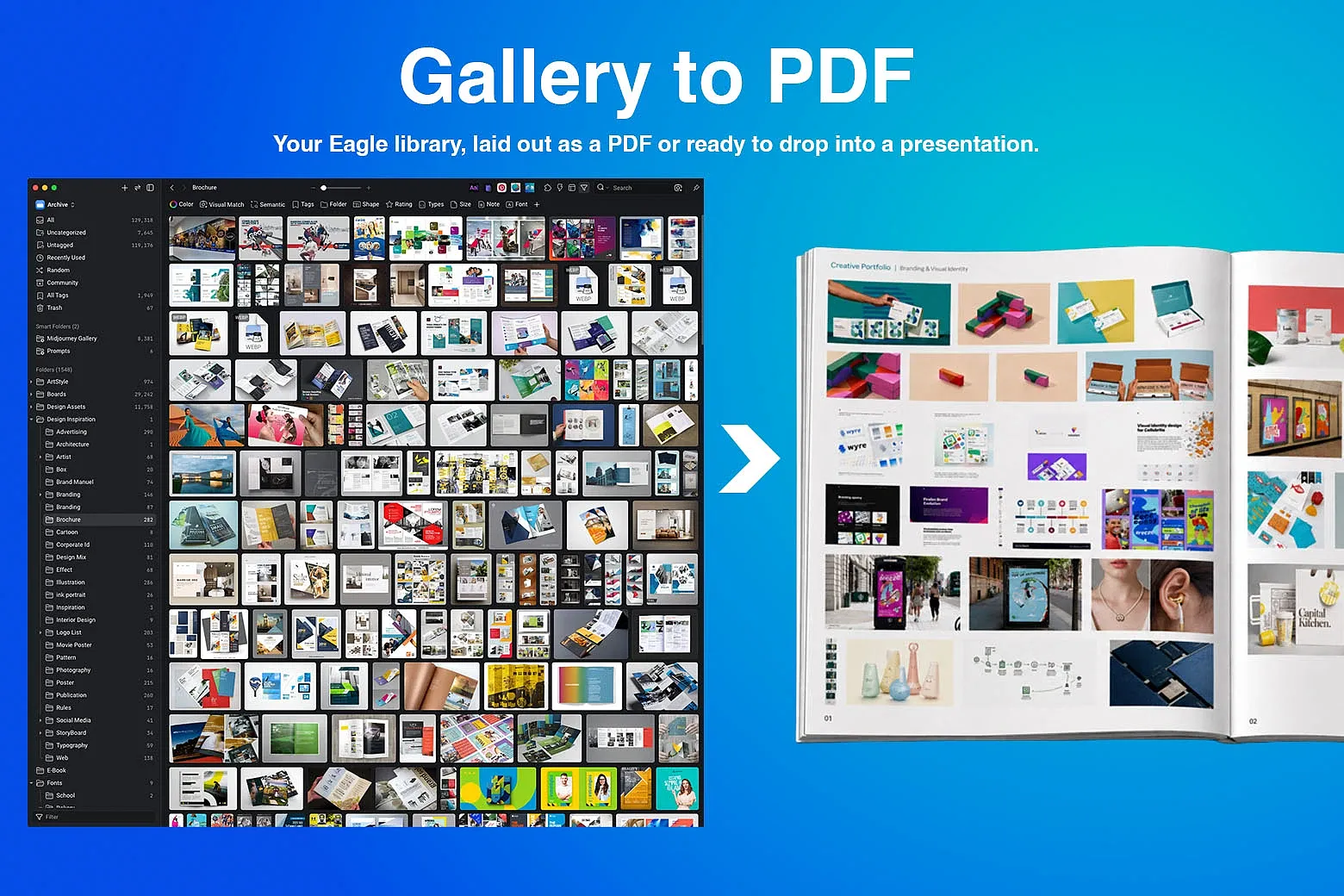
Gallery-to PDF turns any selection or folder in your Eagle library into a clean, page-by-page layout, ready to print, share, or drop straight into a presentation.
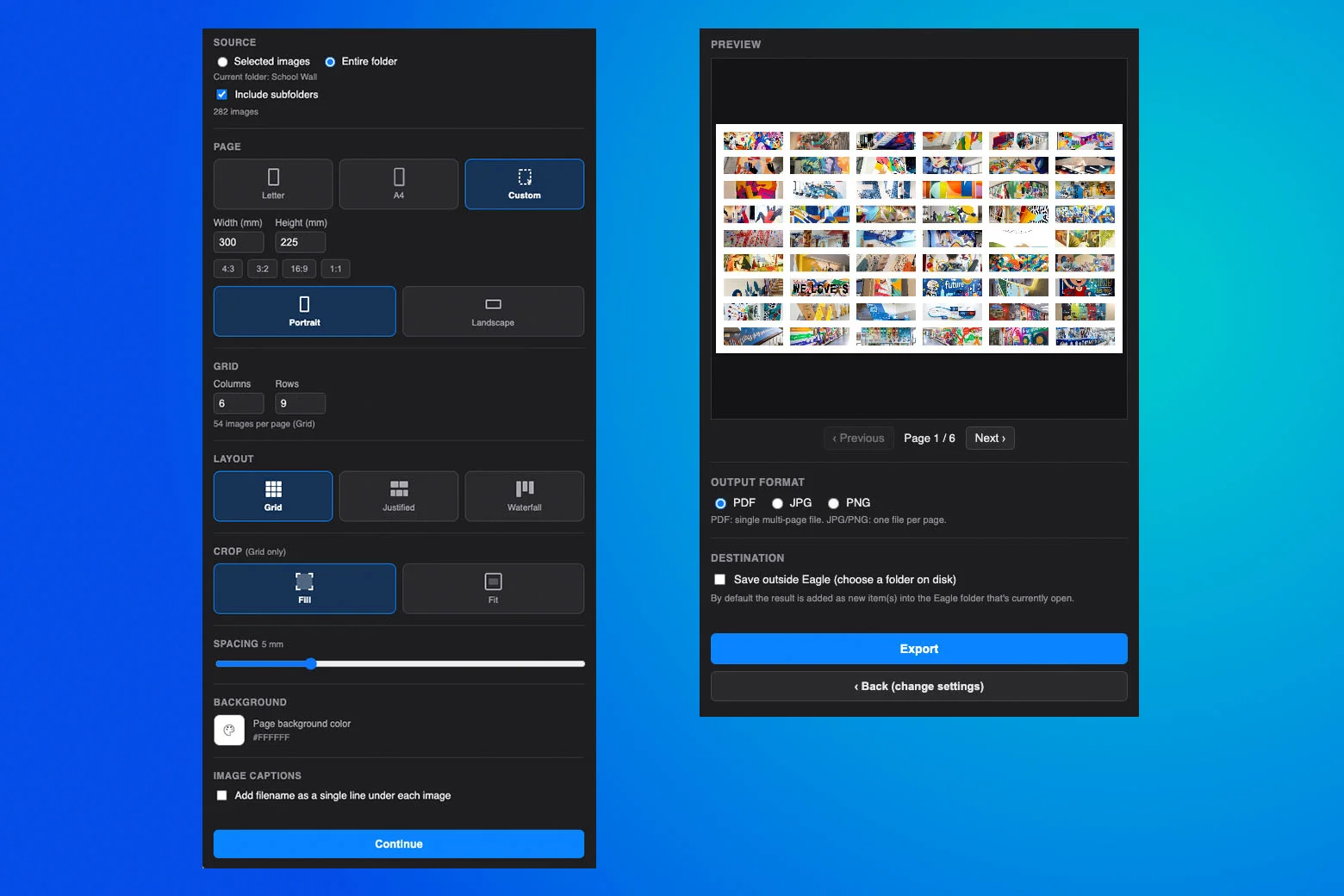
Choose your images (selected items, or an entire folder with subfolders included), pick a layout: Grid, Justified, or Waterfall, and a page size: Letter, A4, or any custom size with quick 4:3, 3:2, 16:9, 1:1 presets. Fine tune spacing, background color, crop mode, and optional filename captions, then preview every page before you export.
Export as a single multi page PDF, or as individual JPG/PNG files, one per page. Results save straight back into your currently open Eagle folder, or export to any location on disk.
Features
- Selected images or entire folder, with subfolder support
- Grid, Justified, and Waterfall layouts
- Letter, A4, or fully custom page size
- Fill or Fit cropping
- Adjustable spacing and background color
- Optional single-line filename captions
- Full page-by-page preview before export
- Export to PDF, JPG, or PNG
- Saves directly into Eagle, or to disk
- Fixed: multi-page JPG/PNG and PDF export could overwrite an existing file with the same name. Every output filename in a batch is now reserved with an exclusive create before any content is written; on conflict, the whole batch retries under an incremented name, and only newly-created placeholders are rolled back — existing files are never touched.
- Fixed: very large custom page sizes could exhaust memory. Render resolution is now automatically capped (~6000px max side, ~24 total megapixels per page), pages are rendered/written/released one at a time instead of held all at once, and exports are capped at 300 pages per run.
You may also like