Full Tags
Show full item tags without truncation, automatically grouped by Eagle tag groups for a clearer structure.
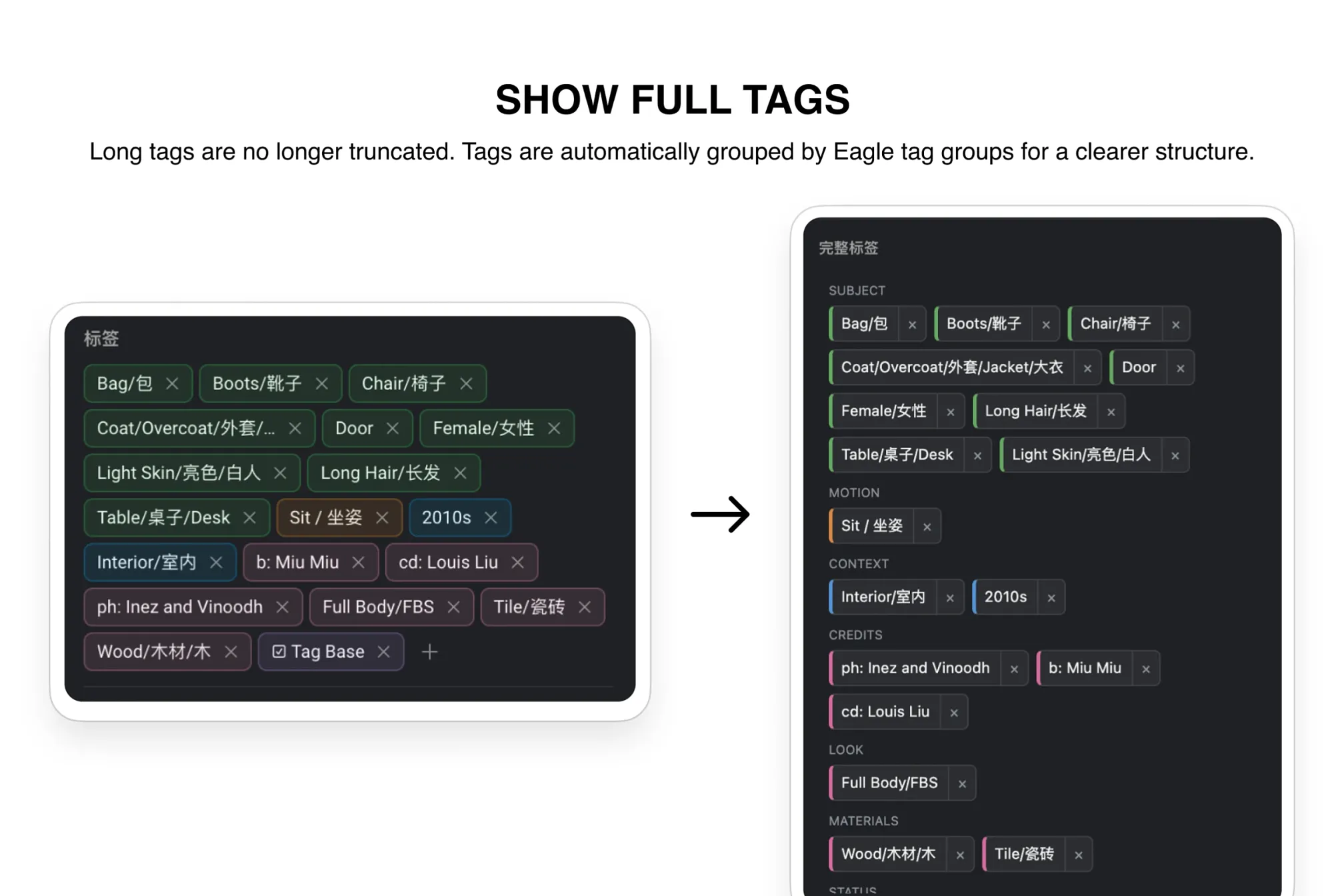
Select an item, then open the “Full Tags” panel in the right inspector to view its complete tag list. Tags are automatically grouped by Eagle tag groups, and long tags wrap fully instead of being truncated. You can also remove, rename, or copy tags directly from the panel.
v1.0.11
2026-07-22
1. Improved inspector height and tag group spacing to reduce unused space.
2. Redesigned the plugin icon.
3. Updated the cover image.
v1.0.10
2026-06-01
Initial release. Supports full tag display grouped by Eagle tag groups, with remove, rename, and copy actions.
You may also like