Bi-directional Links
Knowledge graph helper for Eagle library with note-based bi-directional links
Overview
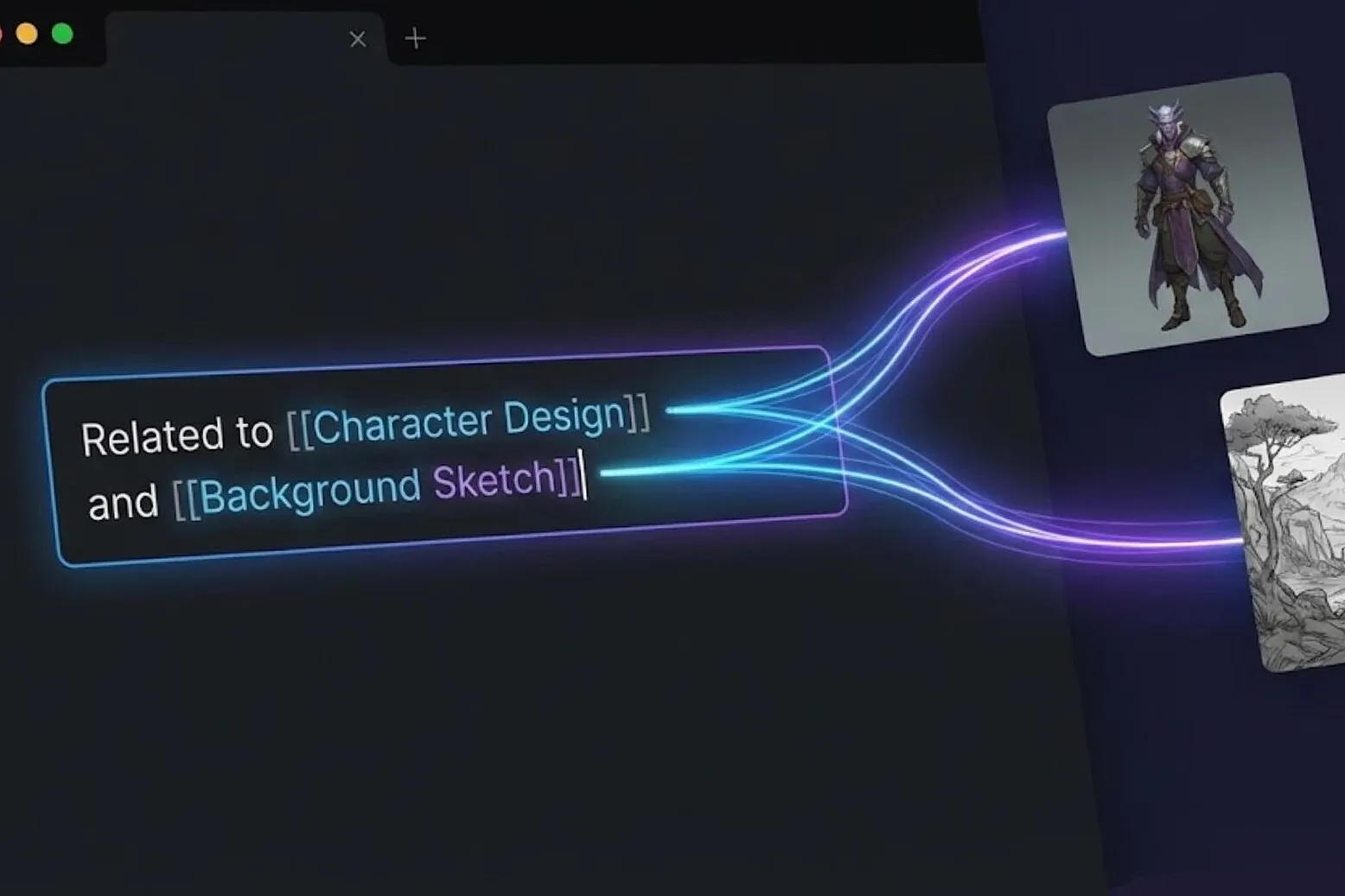
Backlinks is a knowledge management plugin built for the Eagle asset library, heavily inspired by Obsidian's bi-directional linking system.
Core Features
✅ Forward Links: Use
[[Asset Name]]in the asset's notes to create links pointing to other assets.✅ Backlinks: Automatically displays which assets are linking to the current asset.
✅ Quick Search: Quickly find and link related assets.
✅ Link Report: Generates an analysis report of the connections within your knowledge base.
Usage
Creating Links
Type the link of another asset directly into the current asset's notes:
Referenced the following assets: [[Color Palette Ref]] [[Typography Inspiration]] [[Japanese Design - Modernism]]
Supported Link Syntax:
[[Asset Name]]- Link by asset name.[[Asset ID]]- Link by asset ID (unique and stable).[[Alias]]- Link using a custom alias.【【Asset Name】】- Supports full-width Asian brackets.【Asset Name】- Simplified format.
Link Tabs
Forward Links: Other assets that the current asset points to.
Backlinks: Other assets that link to the current asset.
Click on a link item to jump to the related asset.
Advanced Linking Features
Alias Links (Flexible Renaming): Aliases are also written in the asset's notes using the following format:
#alias: Alias A, Alias B, Alias C
Can also be added via quick shortcuts. Features:
Aliases are bound to the asset ID (since they are declared within that asset's notes).
Alias list supports: Searching, infinite scrolling, click-to-jump.
Alias item display format:
Line 1:
Original Name → AliasLine 2:
ID: xxx
Supports "Copy Alias Link" and "Delete Alias".
Links won't break even if the asset is renamed.
Perfect for temporary naming during the creative process.
Context Menu (Right-Click)
Right-click on a link item to open the context menu, which includes:
Rename (Inline input, Enter to save, Esc to cancel).
Copy Name.
Copy ID.
Preview Notes (Read-only).
Click "Edit" to modify.
Click "Save" to sync and write back to the notes.
Delete Link (Removes the corresponding link text from the current asset's notes).
Delete File (Moves the asset to the Trash after confirmation).
Search Feature (🔍)
Quickly search for assets:
Click the search button.
Enter the asset name.
Select a result to create a link.
History Navigation
Top buttons:
←/→Visually view history in the History tab and click to jump.
Keyboard shortcuts supported:
Alt + ←Go BackAlt + →Go Forward
Report Feature
View the connection analysis of your library:
Link Statistics: Displays data such as total link count, average links, and the percentage of orphaned assets.
Best Practices
✅ Recommended Format
This image referenced: [[Japanese Composition Ref]] [[550e8400-e29b-41d4-a716-446655440000]]
-Main Characters- [[Character A]] [[Character B]]
#alias: explosion vfx, explosion_vfx...
FAQ
Q: Why can't some links be found?
A: Possible reasons:
The asset name is misspelled.
The asset has been deleted.
The asset the alias points to no longer exists (the plugin will automatically clean up these aliases).
Q: What should I do if the search is slow?
A:
Click ↻ to refresh the cache.
Please wait a moment for extremely large libraries (10,000+ assets).
The plugin uses smart indexing, so searches will automatically speed up after the first time.
Added various productivity tools, enhanced the automation experience, and optimized numerous known issues.
Added a personalized settings page.
History navigation & History tab (reverse chronological order, infinite scrolling).
In-note alias management (appended to the end of notes).
Link context menu (rename, copy, preview notes, delete link, delete file, and many other quick tools).
Grouped link display and added grouping syntax (using -Group Name-).
Report statistics and multiple interactive UX optimizations.
You may also like