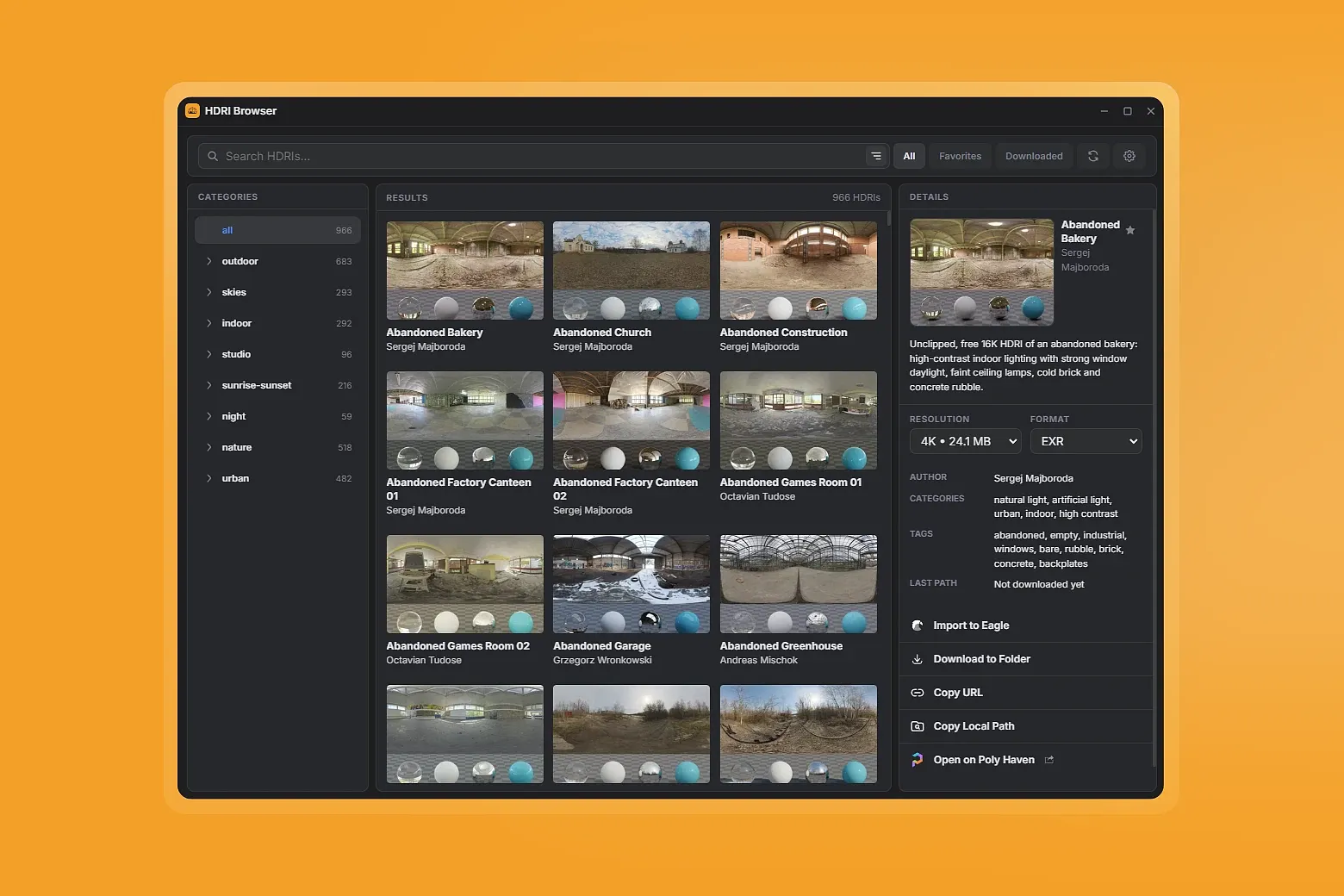
HDRI Browserbrings the Poly Haven HDRI catalog directly into Eagle, making it easy to search environment maps, inspect details, choose resolution and format, and either import assets into your library or download them to a local folder. It is designed for 3D artists, lighting artists, lookdev artists, and environment designers who want a faster .hdri workflow without leaving Eagle.
Key Features
Direct Poly Haven Integration – Browse the public Poly Haven HDRI catalog from inside Eagle
Fast Search and Filtering – Search by name, tags, and categories, with filters for All, Favorites, and Downloaded
Built-in Preview and Details – View thumbnail preview, author, tags, categories, description, and asset info before downloading
Resolution Selection – Choose from 1K, 2K, 4K, 8K, 16K and 22K when available
Format Selection – Download HDRIs in EXR, HDR, or JPG preview format when supported
Import to Eagle – Send the selected HDRI directly into your Eagle library
Download to Folder – Save files outside Eagle to a custom local directory
Folder-aware Import – Import into currently selected Eagle folders, or fall back to the library root
Tags and Notes Import – Optionally import Poly Haven tags and description notes together with each HDRI
Favorites System – Mark HDRIs as favorites for quick access later
Persistent Settings – Save preferred language, default resolution, default format, download directory, and filter state
Theme Matching Eagle – Follows Eagle’s active theme for a consistent experience
Multi-language Support – Available in 13 languages
How It Works
Install HDRI Browser in Eagle
Open the plugin to load the Poly Haven HDRI catalog
Search or filter the library to find the HDRI you need
Select an asset to review its preview, author, tags, categories, and available download options
Choose your preferred resolution and format
Import the HDRI directly into Eagle, or download it to a local folder
Favorite assets, copy download links or local paths, and revisit downloaded files anytime